

1
Store earns revenue
A customer pays. The amount lands in that store’s balance and waits about 10 business days (around two weeks) so any refunds or chargebacks can settle first.
2
Auto-settle to your merchant balance
After the waiting period, funds move automatically into your merchant balance — pooled across all of your stores. Nothing for you to do. View it in Finance at the top of the dashboard.
3
You request a payout
Once your balance clears the minimum, you initiate a payout from Finance. Funds typically land in 1–3 business days.
Fees and Payout Schedule
Current coverage: mainland China, settled in CNY. More regions and currencies are on the roadmap.
Test mode doesn’t affect payouts. Finance and Payout History always show real data, and you can’t simulate a payout.
Requesting a Payout
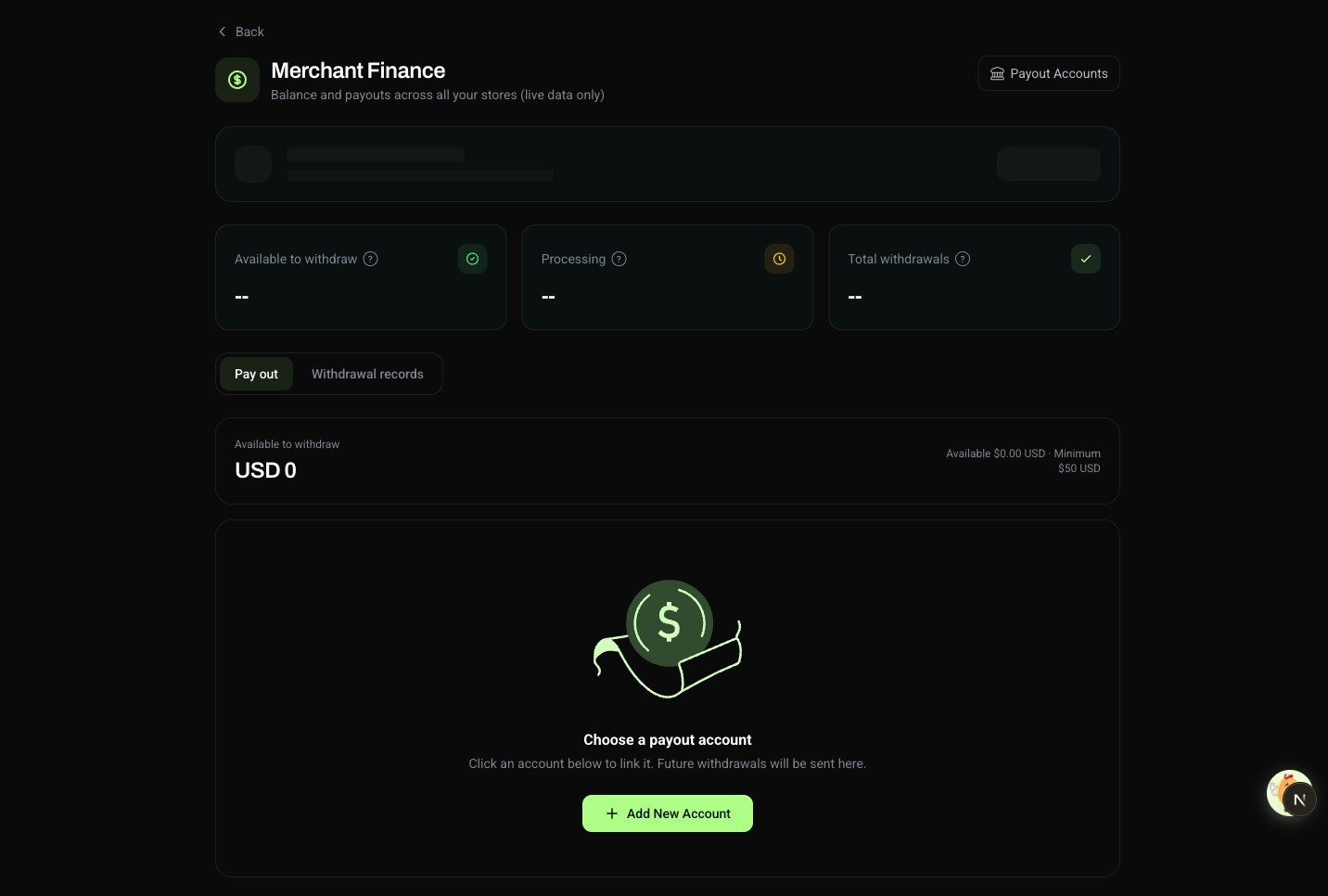
1
Open Finance
Click Finance in the top navigation. You’ll see your merchant balance and the amount available to withdraw.
2
Enter an amount
Type the amount you want. The minimum is $20 USD — the threshold is set in USD, and the local-currency amount arriving in your account is calculated at the rate the moment you submit.
3
Confirm the destination
Your default payout account is selected. If you’ve added more than one, switch before submitting. The holder name comes from your verified identity — it’s not editable here.
4
Submit
Click Request Payout. The payout enters pending and you can track it under Payout History.
Failed Payouts
Most payouts land without issue. If yours doesn’t, work through this list:- Name mismatch. The bank returned a holder name that doesn’t match your legal name on file. Open Profile, compare your legal name to your ID character-by-character (including spaces and punctuation), correct it, and retry. If the field is locked, contact support.
- Identity incomplete. You can’t request a payout — or even add a payout account — without a verified identity. See Identity Verification.
- Below the minimum. Payouts under $20 USD equivalent are rejected. Wait until your balance clears the threshold, or contact support for an exception.
- Pending longer than 5 business days. The bank may be running extra checks on a large amount or a brand-new account. If it doesn’t clear within a week, contact support with your payout ID.
- Holder name doesn’t match your identity. Each payout account must belong to the same legal person whose identity you’ve verified. If the names don’t match exactly — even a punctuation or spacing difference — the payout fails. Open Profile, verify your legal name matches your ID exactly, and retry. See Identity Verification.
Managing Your Payout Account
You can add, switch, or change your default payout account at any time. See Payout Accounts for the setup walkthrough and supported methods.Payout Accounts
Add a bank card or Alipay and manage your default
Identity Verification
Verify your identity before you can receive a payout
FAQ
When can I start receiving payouts?
When can I start receiving payouts?
As soon as your identity is verified and you’ve added a payout account. The first sale on your store starts a ~10 business day waiting period before funds clear into your merchant balance — once they do, you can request a payout whenever your balance hits the $20 USD minimum.
Which countries and currencies do you support?
Which countries and currencies do you support?
Today we pay out to merchants in mainland China, settled in CNY via bank card or Alipay. Most major mainland Chinese banks are supported. More currencies and countries are on the roadmap — contact support and let us know which one you need.
Can I simulate a payout in test mode?
Can I simulate a payout in test mode?
No. Finance and Payout History always read live data, and there’s no way to simulate a payout. Anything you submit moves real money.
How do I change my payout account?
How do I change my payout account?
Open Payout Accounts from the user menu (or Finance → Payout Account). Add a new account and set it as default, or edit the details on an existing one. The holder name is taken from your identity and isn’t editable here. See Payout Accounts.
My payout is stuck in pending — is something wrong?
My payout is stuck in pending — is something wrong?
Pending is normal for the first 3–5 business days while the bank processes it. Only worry if it stays pending past 5 business days — at that point, contact support with your payout ID.
My payout failed with a name mismatch. What do I do?
My payout failed with a name mismatch. What do I do?
The bank returned a holder name that doesn’t match your legal name on file. Open Profile, compare your legal name field to your ID character-by-character (including spaces and punctuation), save the correction, and retry. If the field is locked, contact support.
Alipay is asking me to submit extra documents. Why, and what do I provide?
Alipay is asking me to submit extra documents. Why, and what do I provide?
For larger payouts, Alipay’s risk team may ask you to supply documents proving the background of your transactions. This is a routine check on cross-border settlements — it does not mean anything is wrong with your account. You’ll typically be asked for:
- Terms of service (TNC) — proof that Waffo acts as your merchant of record, collecting, invoicing and settling on your behalf. See the Developer Terms.
- Transaction / settlement details — download an export from the corresponding page in your dashboard and submit it as an Excel/CSV file.
- Invoices — the receipts issued to your customers. Go to the Payments page, open a transaction to see its detail, and you’ll find the invoice link there.
- Website / product info — a screenshot of your own pricing page, so the products and prices match your transaction records.
- You can upload up to 10 files. A good mix is your terms + one transaction export + your top invoices.
- Prioritize your largest transactions — they carry the most weight.
- Submit within 24 hours, or the request is returned.
- For the service type field, we recommend selecting software service (数字产品 / SaaS / 订阅), and keep it consistent with your website and invoices.
Alipay keeps rejecting my documents. Is there another way to get paid?
Alipay keeps rejecting my documents. Is there another way to get paid?
Yes. Alipay isn’t your only option — you can switch to a bank card. Open Payout Accounts, add a Bank Transfer account, set it as your payout account, and request your payout through it. This bypasses the Alipay document review entirely. Contact support if you’d like help deciding.
When should I contact support?
When should I contact support?
Reach out if your payout has been pending for more than 5 business days, you see a failure reason you don’t recognize, you need to change a locked identity field, or you need a country or currency we don’t support yet. Include your merchant ID, the payout ID, the timestamp, and a screenshot.