> ## Documentation Index
> Fetch the complete documentation index at: https://docs.waffo.ai/llms.txt
> Use this file to discover all available pages before exploring further.
# Quickstart
> Ship your first payment in 5 minutes
## Choose Your Starting Point
**Fastest to ship**
Best for teams with an existing codebase that want Claude Code or another coding agent to plan the model, implement the integration, and drive validation.
**Most control**
Best when you need custom checkout flows, server-side orchestration, dynamic pricing, or tighter control over integration behavior.
**Simplest**
Best when you want to launch a payment link quickly first and deepen the integration later.
***
## Understand the Product Model
In Waffo Pancake, a **product** is the billing object used for checkout and tax handling. It is not just a storefront card or SKU.
| If you sell | Create in Waffo | Why |
| ----------------------------------------------- | ------------------------------------------ | ------------------------------------------------------------------------- |
| Fixed-price download, template, license | **One-time product** | Customer pays once for a predefined price |
| Monthly or annual plan | **Subscription product** | Customer is billed on a recurring schedule |
| Starter / Pro / Enterprise plans | **Multiple subscription products** | Each plan option is its own billable product |
| Usage overage, credits top-up, negotiated quote | **One-time checkout with `priceSnapshot`** | The final amount is calculated at checkout time, so pricing stays dynamic |
If your business is subscription-based, you may still create **one-time charges** for setup fees, add-ons, overage billing, or credit packs. That is expected behavior.
***
## Integrate with AI
### The Simple Version
Tell your AI assistant:
```text theme={"system"}
Read https://docs.waffo.ai/llms-full.txt, load the official Waffo Pancake skill from https://docs.waffo.ai/integrate/skill, and integrate Waffo Pancake payments into the current project.
```
That's it. The skill file contains everything your AI needs — API endpoints, SDK patterns, webhook handling, and best practices.
### The Full Version
You can also describe your stack for a tailored integration:
```text theme={"system"}
Read https://docs.waffo.ai/llms-full.txt, load the official Waffo Pancake skill from https://docs.waffo.ai/integrate/skill, and use Waffo Pancake SDK to
integrate Waffo Pancake payments into the current project and run through
the full checkout flow:
1. Get Merchant ID from Dashboard → API & Development → top of the page → copy button
2. Create an API Key from Dashboard → API & Development → API Keys
3. Use only `WAFFO_MERCHANT_ID` and `WAFFO_PRIVATE_KEY` as required env vars for the first working integration
4. Install @waffo/pancake-ts SDK
5. Create checkout and webhook endpoints
6. Test with card 4576750000000110
7. Verify webhook receives order.completed event
Use test environment. My stack: [your stack — e.g., "Next.js with TypeScript"]
```
View the unified AI integration entry point for skill context, SDK patterns, code examples, catalog design, and dynamic pricing workflows.
***
## Ship Revenue in 5 Minutes
No credit card required. No LLC needed. Just sign up and start selling.
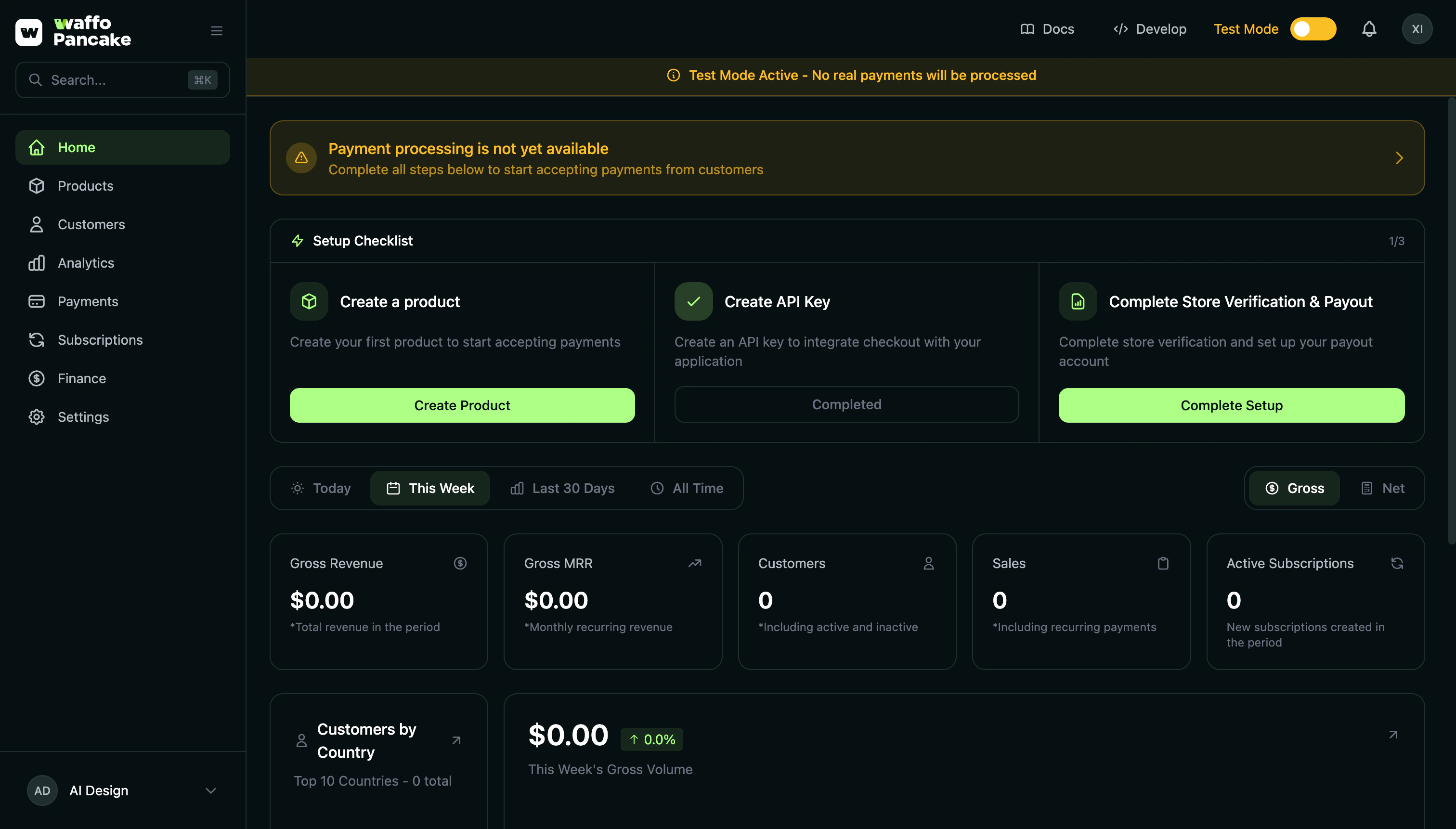 ***
## 1. Create Account
Visit [Merchant Dashboard](https://pancake.waffo.ai/merchant/auth/signin) and sign up with Google, GitHub, or Magic Link.
Sign up with Google, GitHub, or Magic Link — no credit card required.
Three options:
* **Google OAuth** — One click. Done.
* **GitHub OAuth** — For developers. Quick and easy.
* **Magic Link** — Email. Click link. In.
***
## 2. Create Store
First login triggers store setup:
| Field | What It Does |
| ---------- | --------------- |
| Store Name | Your brand name |
No business registration required. Solo founders welcome.
***
## 3. Create Your First Product
Dashboard → Products → **Create Product**
***
## 1. Create Account
Visit [Merchant Dashboard](https://pancake.waffo.ai/merchant/auth/signin) and sign up with Google, GitHub, or Magic Link.
Sign up with Google, GitHub, or Magic Link — no credit card required.
Three options:
* **Google OAuth** — One click. Done.
* **GitHub OAuth** — For developers. Quick and easy.
* **Magic Link** — Email. Click link. In.
***
## 2. Create Store
First login triggers store setup:
| Field | What It Does |
| ---------- | --------------- |
| Store Name | Your brand name |
No business registration required. Solo founders welcome.
***
## 3. Create Your First Product
Dashboard → Products → **Create Product**
 ```json theme={"system"}
{
"name": "Pro Monthly",
"prices": {
"USD": { "amount": "29.00", "taxIncluded": false, "taxCategory": "saas" }
}
}
```
For subscriptions, also set `billingPeriod` (`weekly`, `monthly`, `quarterly`, `yearly`).
If your merchant account has multiple stores, confirm which store this product should belong to before creating it.
If you offer multiple plans such as Starter / Pro / Enterprise:
* Create **one subscription product per plan**
* Start by defining the pricing and billing period for each plan clearly
If you need dynamic pricing:
* Create a base one-time product such as `Usage Overage`
* Calculate the final amount on your server
* Pass `priceSnapshot` when creating the checkout session
Think of the product catalog as your billing model: fixed-price products for standard offers, subscription products for recurring access, and `priceSnapshot` for runtime pricing.
***
## 4. Integrate Payments
Product created? You get a checkout link to add to your website:
```
https://checkout.waffo.ai/{store-slug}/{product-slug}
```
Add it to your website's product page. Done.
This link is permanent — it never expires and stays valid even when you update the product. Just click "Copy Link" in the Dashboard.
***
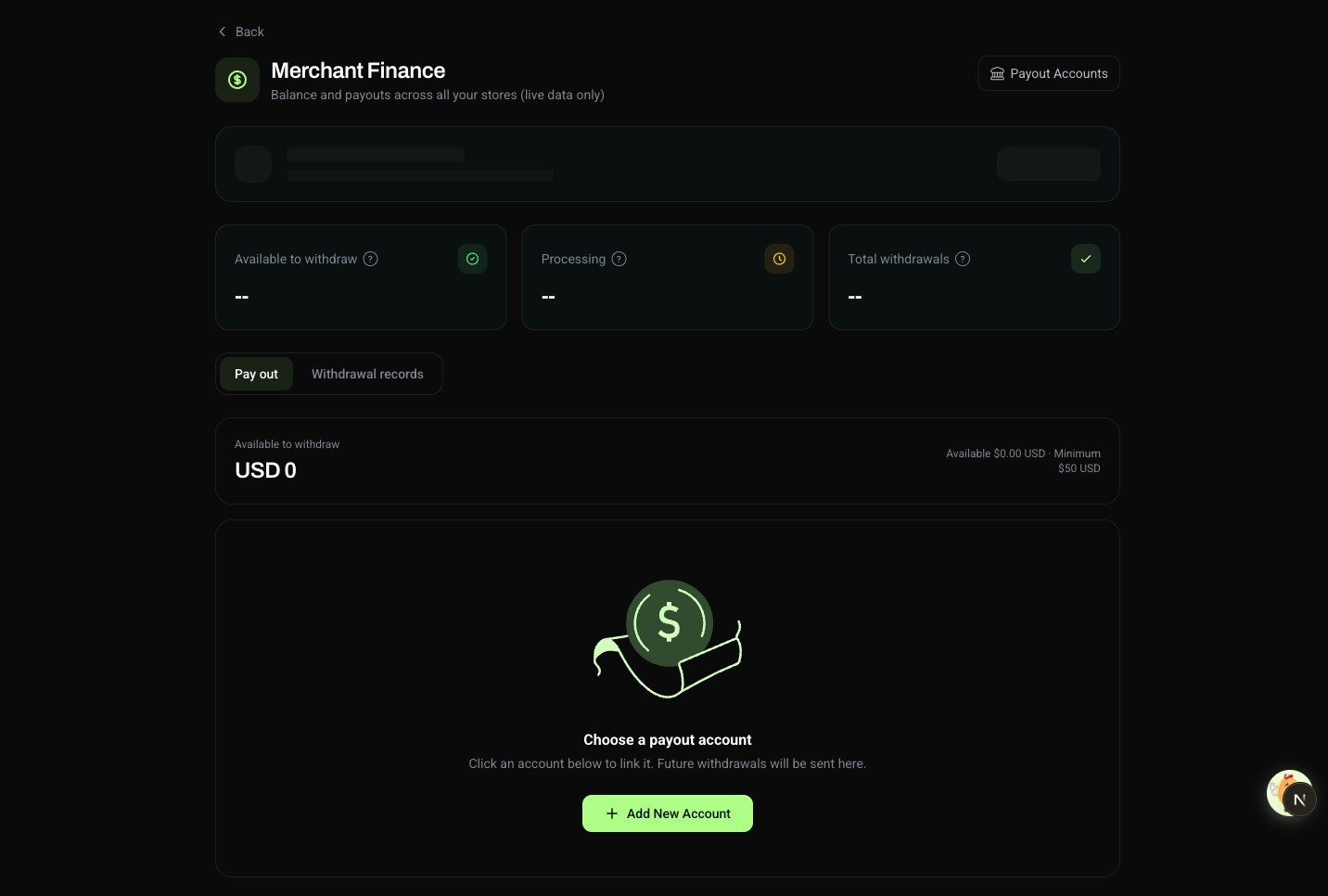
## 5. Get Paid
Customer pays → We handle taxes → You receive payout.
Funds go directly to your bank account. No intermediary. No delays.
```json theme={"system"}
{
"name": "Pro Monthly",
"prices": {
"USD": { "amount": "29.00", "taxIncluded": false, "taxCategory": "saas" }
}
}
```
For subscriptions, also set `billingPeriod` (`weekly`, `monthly`, `quarterly`, `yearly`).
If your merchant account has multiple stores, confirm which store this product should belong to before creating it.
If you offer multiple plans such as Starter / Pro / Enterprise:
* Create **one subscription product per plan**
* Start by defining the pricing and billing period for each plan clearly
If you need dynamic pricing:
* Create a base one-time product such as `Usage Overage`
* Calculate the final amount on your server
* Pass `priceSnapshot` when creating the checkout session
Think of the product catalog as your billing model: fixed-price products for standard offers, subscription products for recurring access, and `priceSnapshot` for runtime pricing.
***
## 4. Integrate Payments
Product created? You get a checkout link to add to your website:
```
https://checkout.waffo.ai/{store-slug}/{product-slug}
```
Add it to your website's product page. Done.
This link is permanent — it never expires and stays valid even when you update the product. Just click "Copy Link" in the Dashboard.
***
## 5. Get Paid
Customer pays → We handle taxes → You receive payout.
Funds go directly to your bank account. No intermediary. No delays.
 ***
## Test vs Live
* No real charges
* Safe to experiment
* Separate test data
* Real payments
* Real payouts
* Toggle when ready
**Switch in Dashboard header.** Toggle via `X-Environment` header in API. Always test first.
***
## Test Cards
### Successful Payments
| Card | Type |
| --------------------- | ----------------- |
| `4576 7500 0000 0110` | Visa Credit |
| `2226 9000 0000 0110` | Mastercard Credit |
| `4001 7000 0000 0110` | Visa Debit |
| `2226 9300 0000 0110` | Mastercard Debit |
### Declined Payments
| Card | Type |
| --------------------- | ----------------- |
| `4576 7500 0000 0220` | Visa Credit |
| `2226 9000 0000 0220` | Mastercard Credit |
| `4001 7000 0000 0220` | Visa Debit |
| `2226 9300 0000 0220` | Mastercard Debit |
Any future expiry. Any CVC.
***
## Going Live Checklist
Before flipping to Live Mode:
* [ ] Test checkout flow end-to-end
* [ ] Verify webhook endpoints (if using)
* [ ] Add a payout account (Payout Accounts page)
* [ ] Complete business details (Settings → Business Details)
* [ ] Review product pricing
* [ ] Sync products from test to production
***
## What's Next?
Pricing models. Trials. Intervals.
Recurring billing. Dunning. Lifecycle.
Your brand. Your colors. Our infra.
API keys. Webhooks. Your backend.
***
## Need Help?
Community support. Fast answers.
***
## Test vs Live
* No real charges
* Safe to experiment
* Separate test data
* Real payments
* Real payouts
* Toggle when ready
**Switch in Dashboard header.** Toggle via `X-Environment` header in API. Always test first.
***
## Test Cards
### Successful Payments
| Card | Type |
| --------------------- | ----------------- |
| `4576 7500 0000 0110` | Visa Credit |
| `2226 9000 0000 0110` | Mastercard Credit |
| `4001 7000 0000 0110` | Visa Debit |
| `2226 9300 0000 0110` | Mastercard Debit |
### Declined Payments
| Card | Type |
| --------------------- | ----------------- |
| `4576 7500 0000 0220` | Visa Credit |
| `2226 9000 0000 0220` | Mastercard Credit |
| `4001 7000 0000 0220` | Visa Debit |
| `2226 9300 0000 0220` | Mastercard Debit |
Any future expiry. Any CVC.
***
## Going Live Checklist
Before flipping to Live Mode:
* [ ] Test checkout flow end-to-end
* [ ] Verify webhook endpoints (if using)
* [ ] Add a payout account (Payout Accounts page)
* [ ] Complete business details (Settings → Business Details)
* [ ] Review product pricing
* [ ] Sync products from test to production
***
## What's Next?
Pricing models. Trials. Intervals.
Recurring billing. Dunning. Lifecycle.
Your brand. Your colors. Our infra.
API keys. Webhooks. Your backend.
***
## Need Help?
Community support. Fast answers.